NEW: Kudos in Slack for weekly or monthly shoutouts and peer recognition
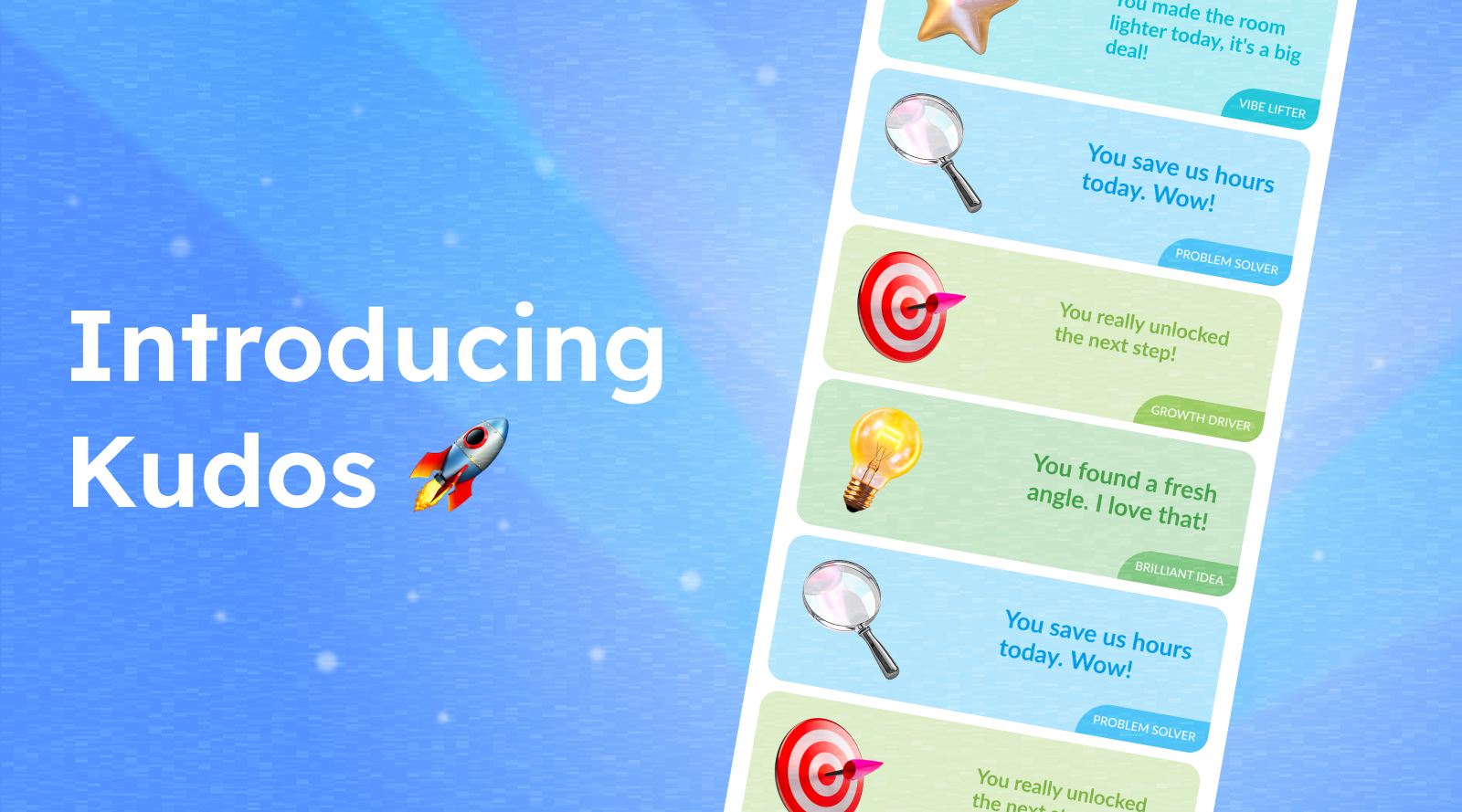
Recognition hits different when it’s timely and specific.
Meet Kudos, a new BirthdayBot feature that helps teams build a simple, feel-good appreciation habit in their Celebration Channels.
With Kudos, admins can schedule weekly and monthly reminders in Slack, while teammates can send shout-outs in a couple of clicks (publicly or privately), and everyone gets a personal collection of the kudos they’ve shared and received.
What is Kudos?
Kudos is a lightweight peer recognition flow that starts with a scheduled prompt in your Celebration Channel. Each prompt highlights a different kind of teammate you might want to appreciate: a Problem Solver, Team Glue, or Brilliant Idea contributor, making it easier to think of a recent moment worth celebrating.
In short: less “I should recognize someone…” and more “Oh yep, that person deserves a shout-out.”
Admin setup: Enable Kudos in the BirthdayBot web app
The Kudos feature is enabled and configured by admins in the web app.
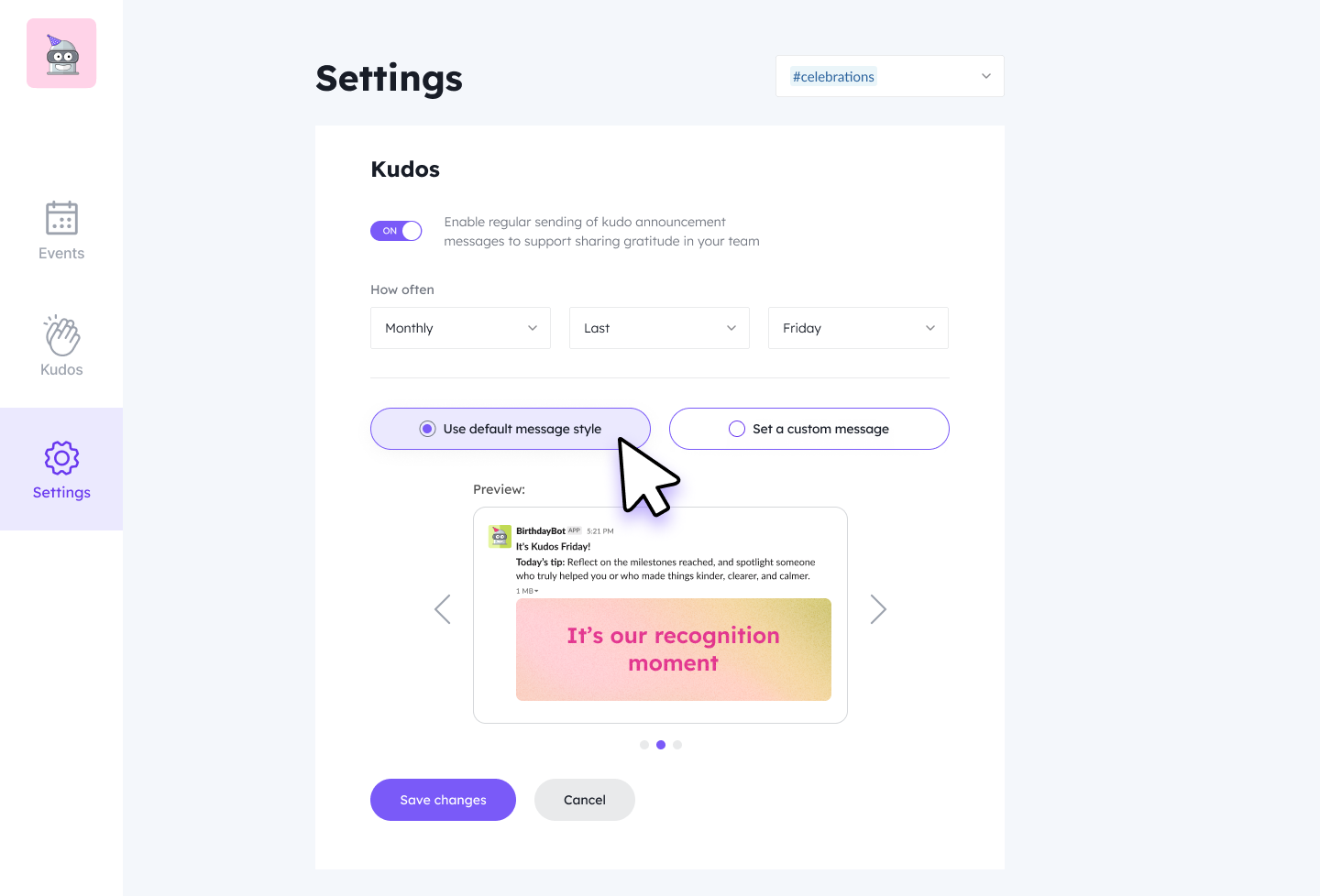
Admins can:
Enable/disable Kudos reminders for Celebration Channels
Choose frequency: weekly or monthly
Pick the reminder content:
Use the default Kudos reminder pack, or
Write a custom reminder (with an optional image)
You can start with the defaults in seconds and customize later if you want the reminders to match your team’s vibe.
Once enabled: Kudos reminders go live in your Celebration Channel
After setup, BirthdayBot posts a recurring Kudos reminder into your selected Celebration Channel. Each reminder includes a friendly prompt that helps teammates recognize a specific kind of contribution: like improving clarity, unblocking progress, or helping the team collaborate smoothly. And since the focus rotates, the prompts stay fresh instead of feeling repetitive.
Sending Kudos: Public or private (your choice)
When someone clicks to give kudos, they can choose visibility:
Public kudos (in the channel Thread)
Public kudos are posted as a reply in the thread of the reminder message, so recognition is public and easy to find without cluttering the channel.
Private kudos (via DM)
Private kudos are sent in a direct message that includes:
the sender
the recipient
BirthdayBot
Perfect for a quieter note of appreciation, or when you want to keep it 1:1.
 Templates that make it fast + personalization
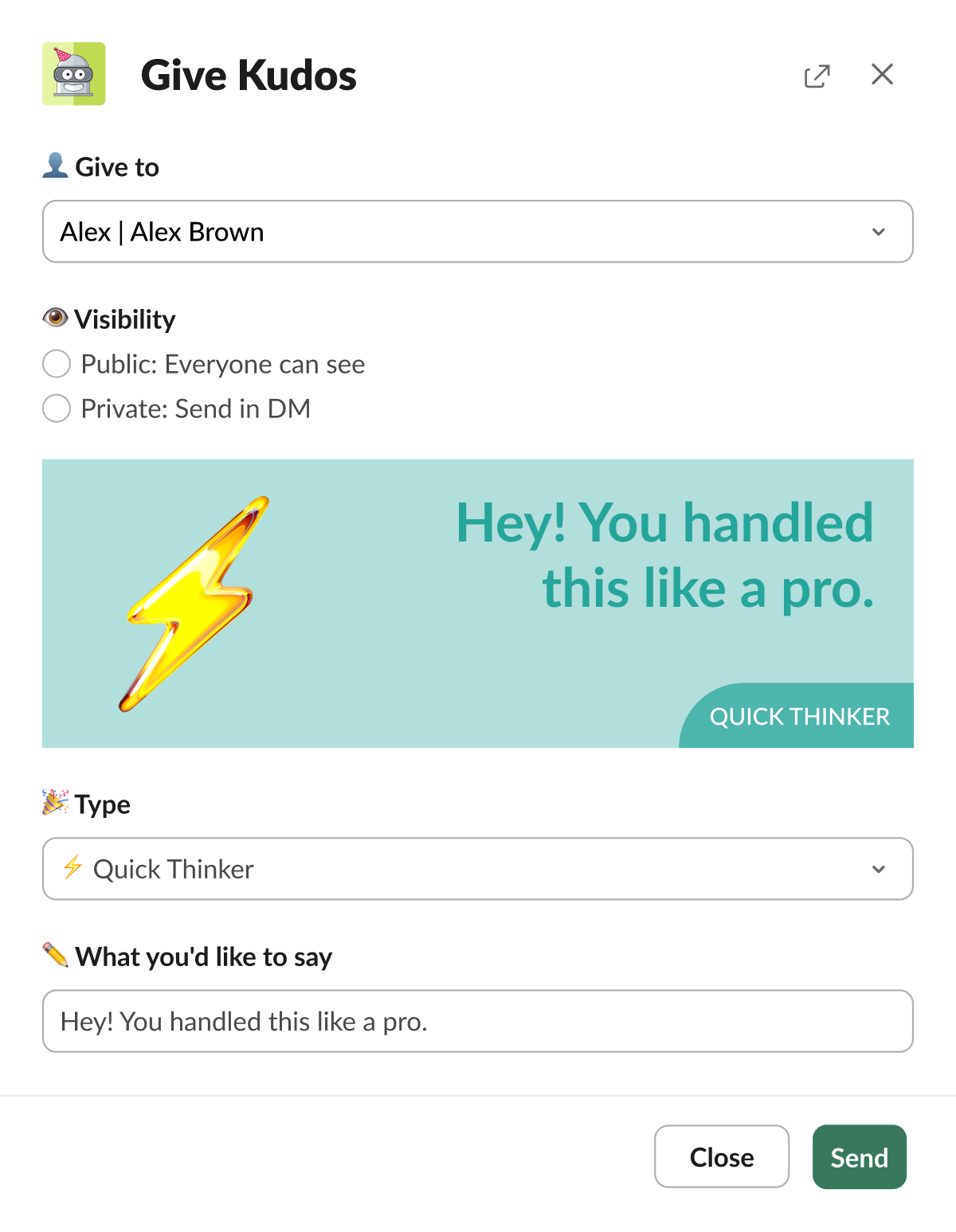
Kudos comes with ready-to-use templates, so appreciation doesn’t turn into a writing task.
Senders can:
choose a template
customize the message text
edit the title
pick a background color
So kudos can be quick and personal at the same time.
Your Kudos collection: A personal highlight reel on the web app
Here’s one of the most satisfying parts:
Every kudos you send and receive becomes part of your personal Kudos collection in the BirthdayBot web app!
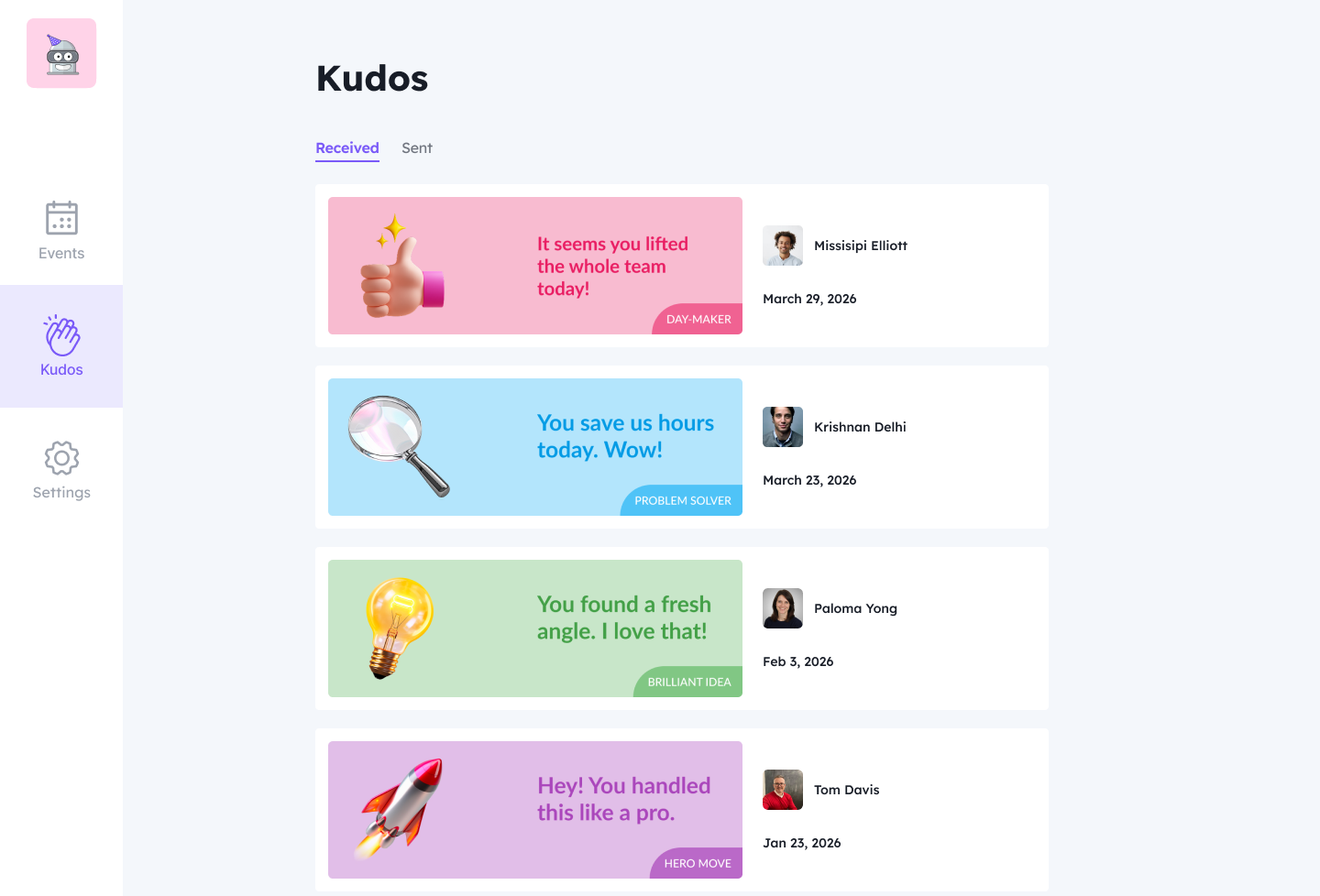
It’s an easy place to:
revisit appreciation you’ve received
remember wins you celebrated with others
keep a positive record of teamwork moments over time
A little “proof of impact” you can come back to anytime.
Start sharing gratitude consistently
Kudos is made for teams that want recognition to be more than occasional. With a simple schedule, helpful prompts, and fast templates, it’s easy to make appreciation a steady habit, not a once-in-a-while thing.
Share your gratitude to the fullest
Install BirthdayBot and enable Kudos in the BirthdayBot web app
to start weekly or monthly recognition ritual in your team's Celebration Channel.